First-party developer-preview example
Coffee Assistant
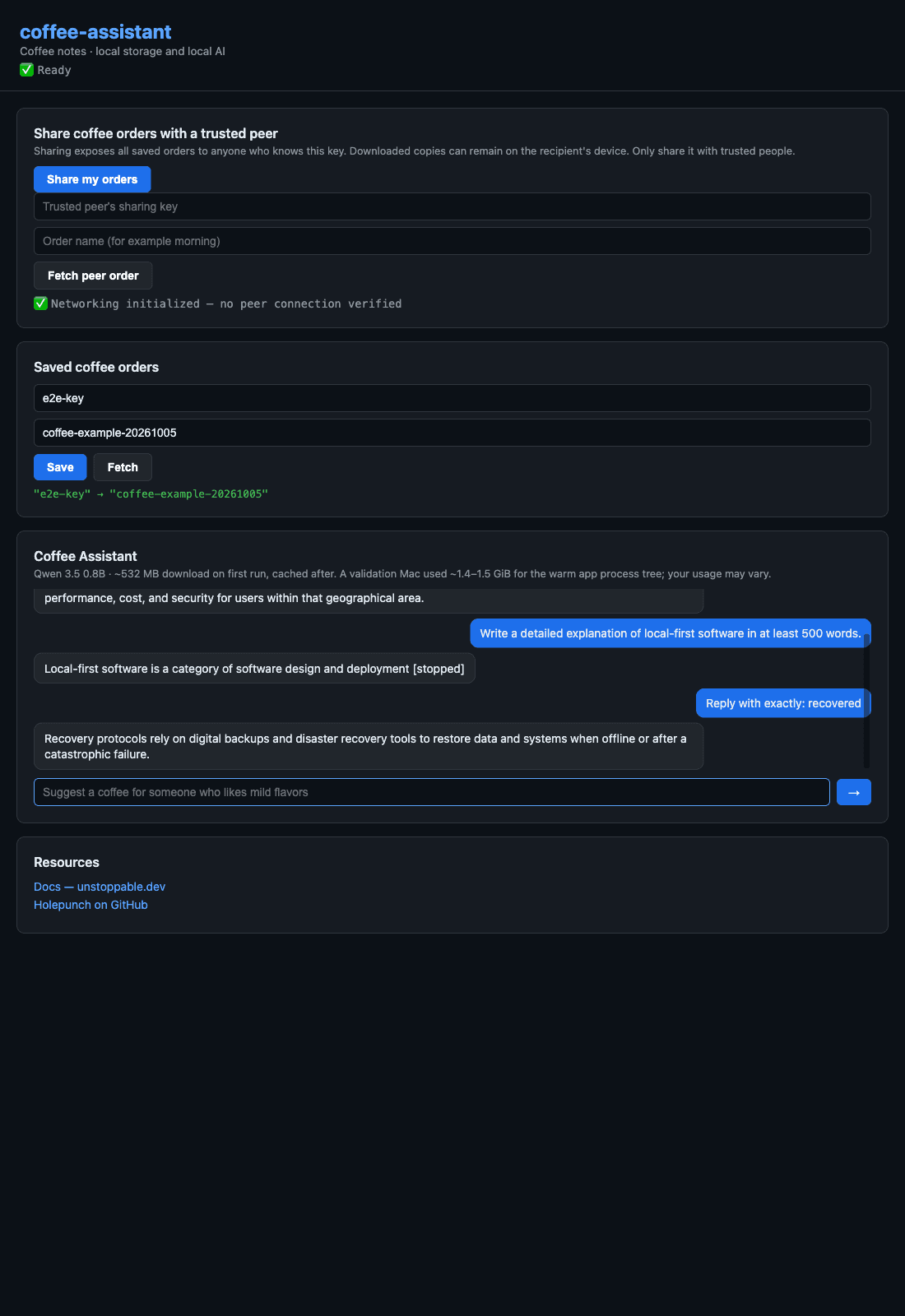
Ask an on-device assistant about coffee and save named orders locally. A small desktop example shows how the renderer, Bare worker, local database, and model fit together.
What has been tested
Real local AI
QVAC inference, Retry, Stop, and recovery passed on macOS Apple Silicon.
Saved orders
A saved value survived a full restart with external networking denied.
Peer order sharing
Two isolated apps exchanged a saved order through a real local DHT network; public DHT retrieval, visible disconnect and a fresh order after reconnect passed on the validation Mac.
Source version: CLI 0.4.0-beta.1, unfrozen working tree. These are local implementation checks, not final release or independent pilot evidence. Installation and the initial approximately 532 MB model download need networking. Cached inference works offline after that download.
A narrow bridge keeps runtime work outside the UI.
Electron displays the interface. A Bare worker owns Hyperbee storage, Hyperswarm networking, and QVAC inference. The bridge sends commands and streamed responses between them. The current example uses ordinary JavaScript and the same runtime integration as the desktop scaffold.
The AI gives advice; the saved-order controls write records. It does not place orders, manage a cart, or make payments. Sharing a database key exposes saved orders to whoever knows it, and recipients can retain downloaded copies.
Reproduce the example
The maintained source is now in the repository at examples/coffee-assistant, with setup instructions, troubleshooting, and a demo checklist. Public source access and a frozen candidate remain release gates, so a public download link is not available yet.
- Install dependencies and open the app using the example README.
- Load the assistant and ask a coffee question.
- Save a named order, restart, and fetch it again.
- After the model is cached, disconnect external networking and ask another question.
- Use your coding assistant to change a button label and verify the change.