Build private apps with local AI and peer-to-peer sync.
Unstoppable Stack gives your AI coding assistant tested starters, implementation guides, and reusable components built with Tether and Holepunch technology.
Start with the verified desktop guide. Other capabilities are labeled by maturity.
Working reference
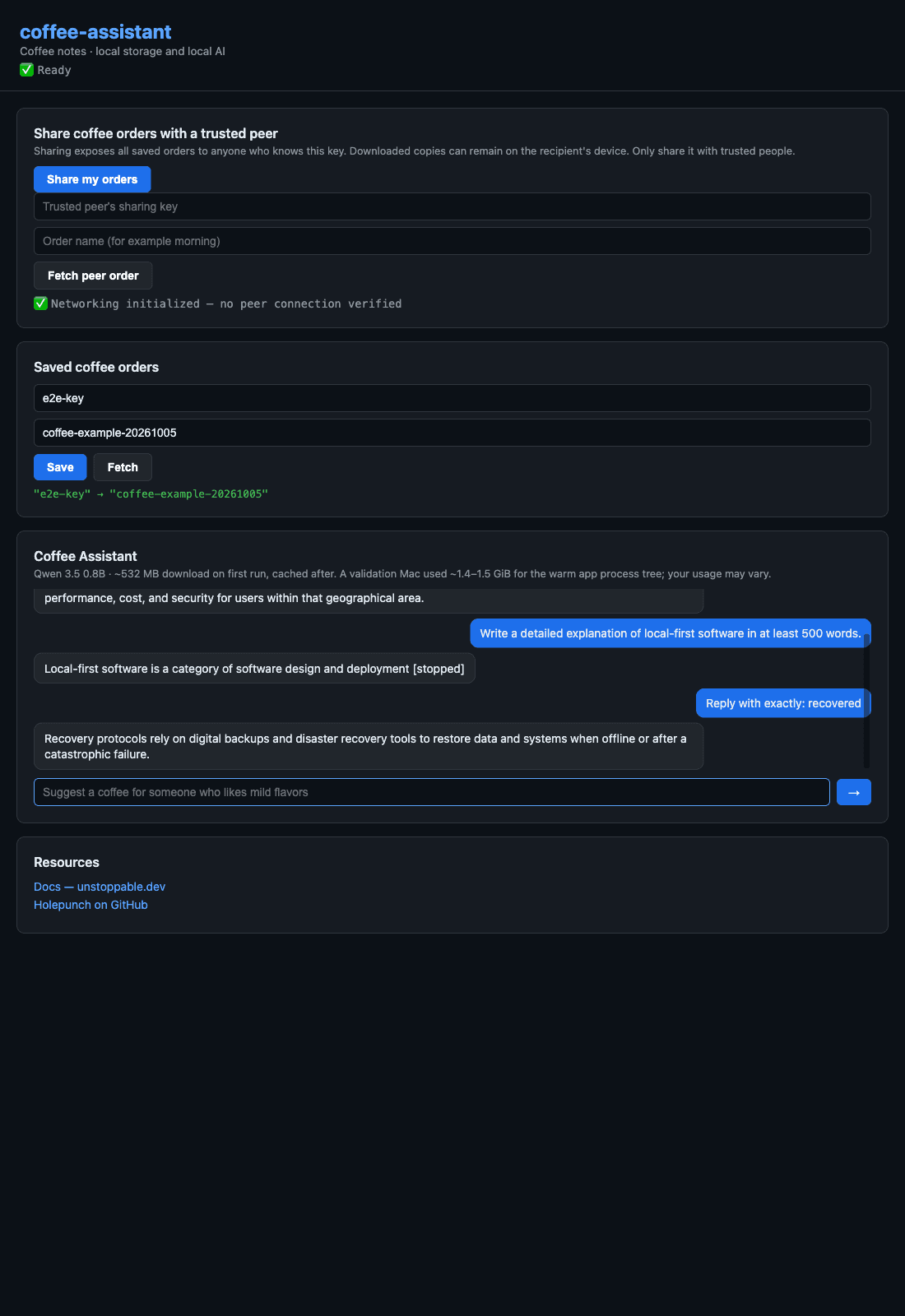
Coffee Assistant
Ask a local model about coffee and save named orders on your device. The current desktop example has passed real inference, offline restart, persistence, and peer retrieval on a local test network; public discovery, graceful disconnect and fresh retrieval after reconnect have now passed on the validation Mac.
Why local-first
Control stays with the app’s users.
Local data
Start with storage on the user’s device. The generated app remains useful when a service or peer is unavailable.
On-device AI
Add QVAC-backed inference without making a hosted model the default place for app data.
Direct peer communication
Discover and connect devices with Holepunch protocols instead of requiring an application backend.
How to build
From workspace to running app.
- 1
Configure your assistant
Run us init so the workspace includes stack-aware guidance.
- 2
Scaffold and run
Create the supported Pear Desktop baseline, install its dependencies, and open it locally.
- 3
Extend deliberately
Ask the assistant for one change at a time, using the included recipes and runtime boundaries.
$ us scaffold app -p pear-desktop -n coffee-notesThis creates the base desktop app. Local AI is an optional follow-on; Personal Node remains outside the core preview.
What is included
Three pieces with distinct jobs.
CLI and agent pack
Create a project and give your coding assistant stack-specific architecture, recipes, and constraints.
Reusable app runtime
Use tested Pear, Bare, Hyperswarm, Hyperbee, and QVAC integration patterns in generated projects.
Deferred Personal Node
Explore the alpha source separately. It is excluded from the core preview until packaging, trust, and status gates pass.
Verified 25 September 2026
What works today
| Capability | Maturity | What that means |
|---|---|---|
| Pear Desktop scaffold | Preview | Primary documented path; generated with a renderer and worker boundary. |
| Local P2P data | Preview | Hyperswarm discovery and local Hyperbee storage are included in base scaffolds. |
| Local AI | Being validated | QVAC integration exists; model size, hardware fit, and first-run download vary. |
| Personal Node | Deferred alpha | Source exists, but packaging, trust defaults, and replication-status gates exclude it from the core preview. |
| Expo Mobile | Deferred | Generated source exists, but native device evidence does not yet support a public claim. |
| Wallet payments | Planned | The CLI contains a stub; no production payment path is claimed. |
FAQ
Practical constraints, up front.
Does an app work offline?
Local UI and storage can keep working offline. Peer discovery, replication, and delegated inference need reachable peers; local inference works after its model is installed.
What does local AI require?
A compatible machine, disk space for the selected model, and an initial model download. Exact memory and disk guidance is model-specific and still being measured for the preview.
Which coding assistants are supported?
The generated agent pack targets Claude Code, Cursor, OpenCode, and Codex. You can also create a project without assistant configuration.
Do I need a Personal Node?
No. The recommended app runs without it, and the current Personal Node alpha is deferred from the core preview while its release gates are completed.
Are payments available?
Not as a supported preview path. WDK integration is planned and the current generator surface is a stub, so this site does not present payments as shipped.
Does this eliminate every infrastructure cost?
No. It removes the mandatory application backend from the core architecture. Devices, model downloads, peer availability, website hosting, and any optional services still have real costs.
Build the supported desktop baseline.
Follow one path, see what the CLI creates, and add capabilities only when the base app works.
Open the quickstart